The Problem
A growing SaaS company receives all customer support tickets via a shared Gmail inbox. Everything is manually triaged — an enterprise client reporting a full API outage waits in the same queue as a free-tier user asking about billing. Critical issues go unnoticed for hours, enterprise clients receive slow responses despite paying for priority support, and there's no SLA visibility or escalation logic.
Process Mapping: Current vs Future State
The process map is the core BA deliverable here — translating operational chaos into a documented, stakeholder-ready redesign before a single automation is built.
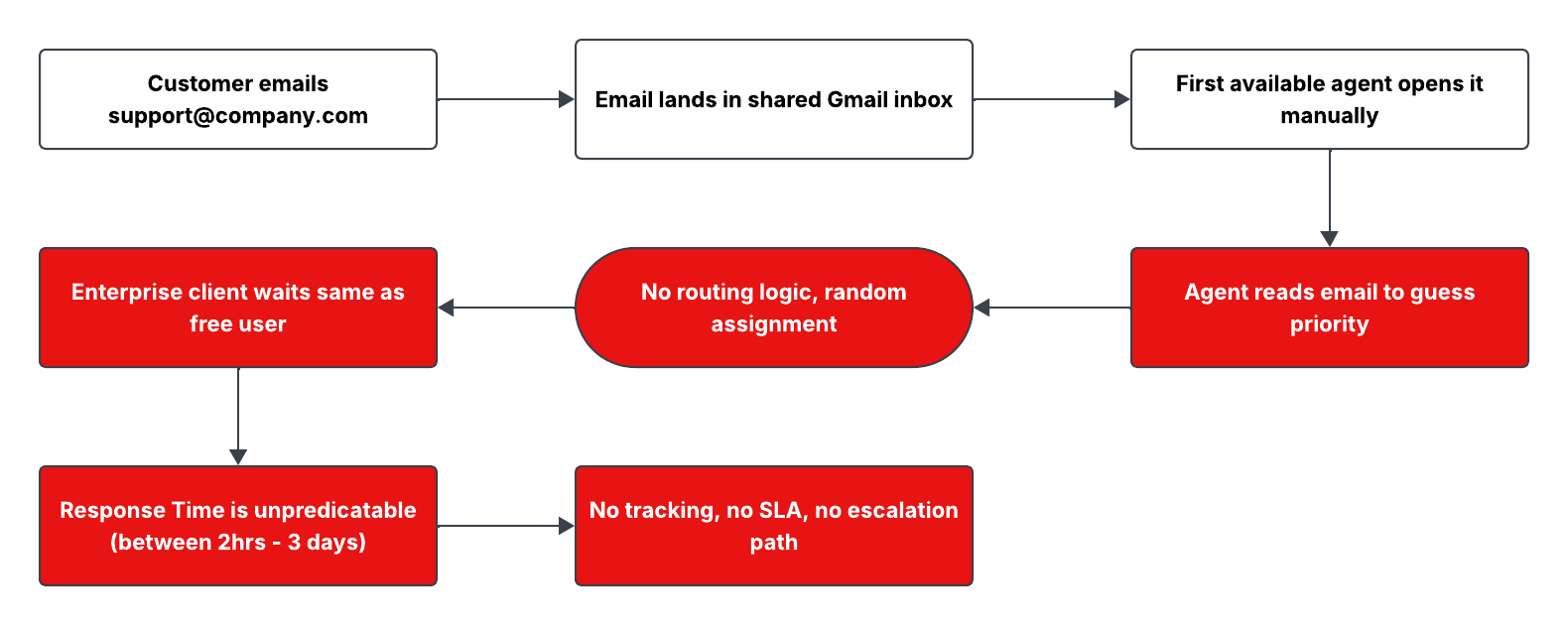
❌ Current State
- Single shared inbox, no triage logic
- Manual reading to determine priority
- No routing — first available agent handles everything
- Enterprise clients wait same as free tier
- No SLA tracking or escalation triggers
- Response time: 2 hours to 3 days, unpredictable
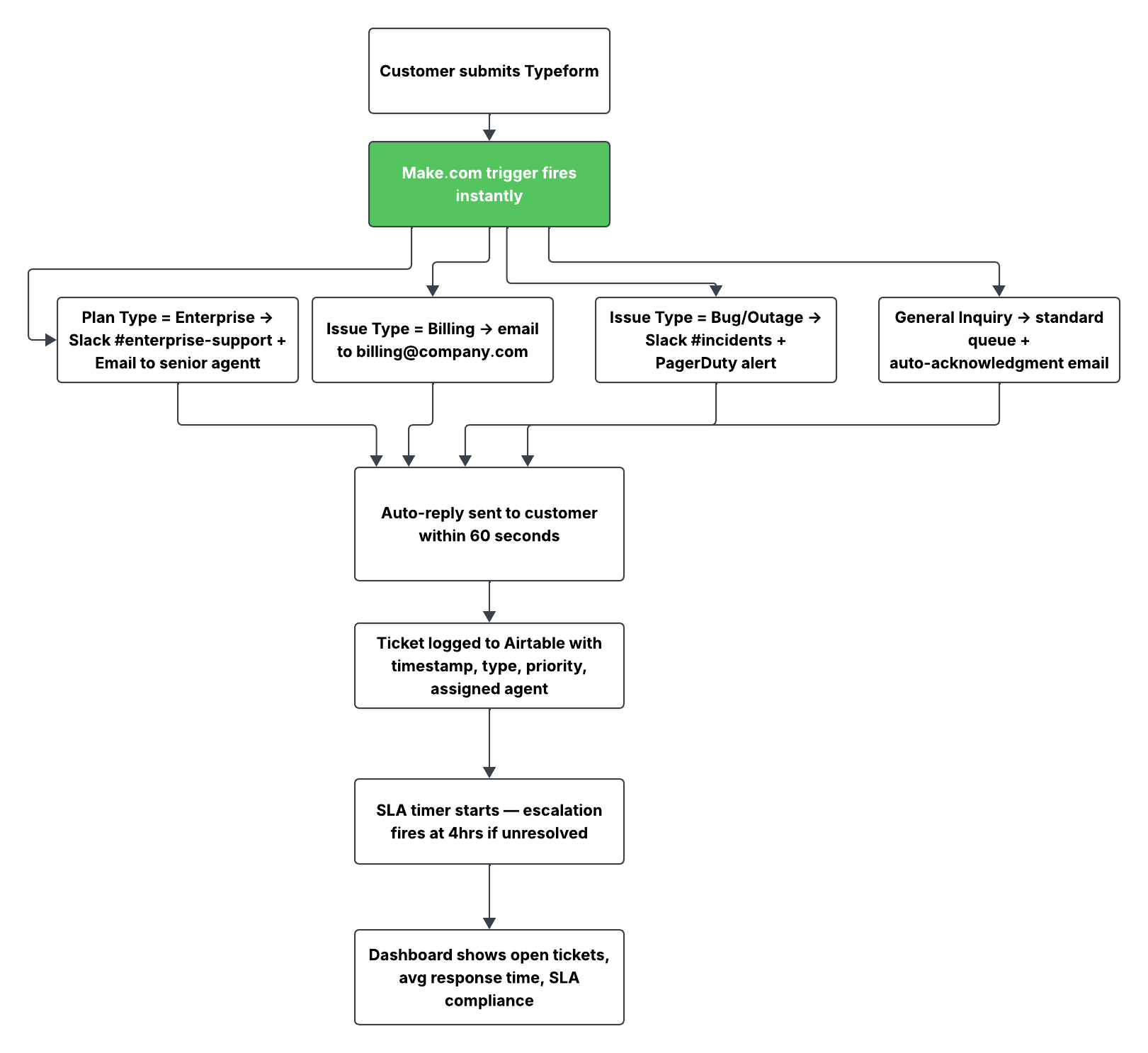
✓ Future State
- Structured intake form captures priority at submission
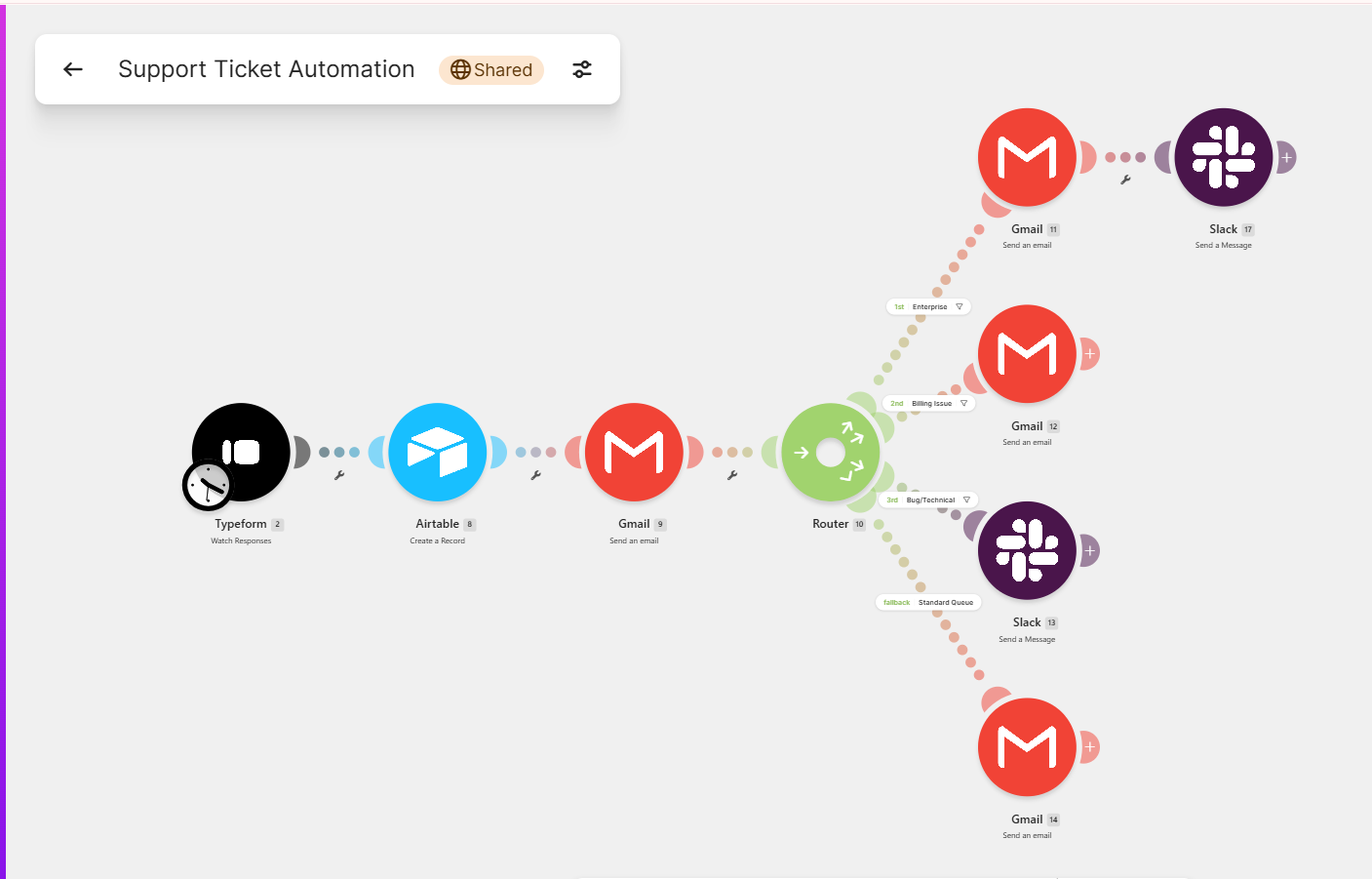
- Make.com router fires instantly on submission
- Enterprise → senior agent + Slack #enterprise channel
- Critical/outage → #incidents + immediate escalation
- Auto-acknowledgment sent within 60 seconds
- All tickets logged to Airtable with SLA deadline
The Make.com Automation
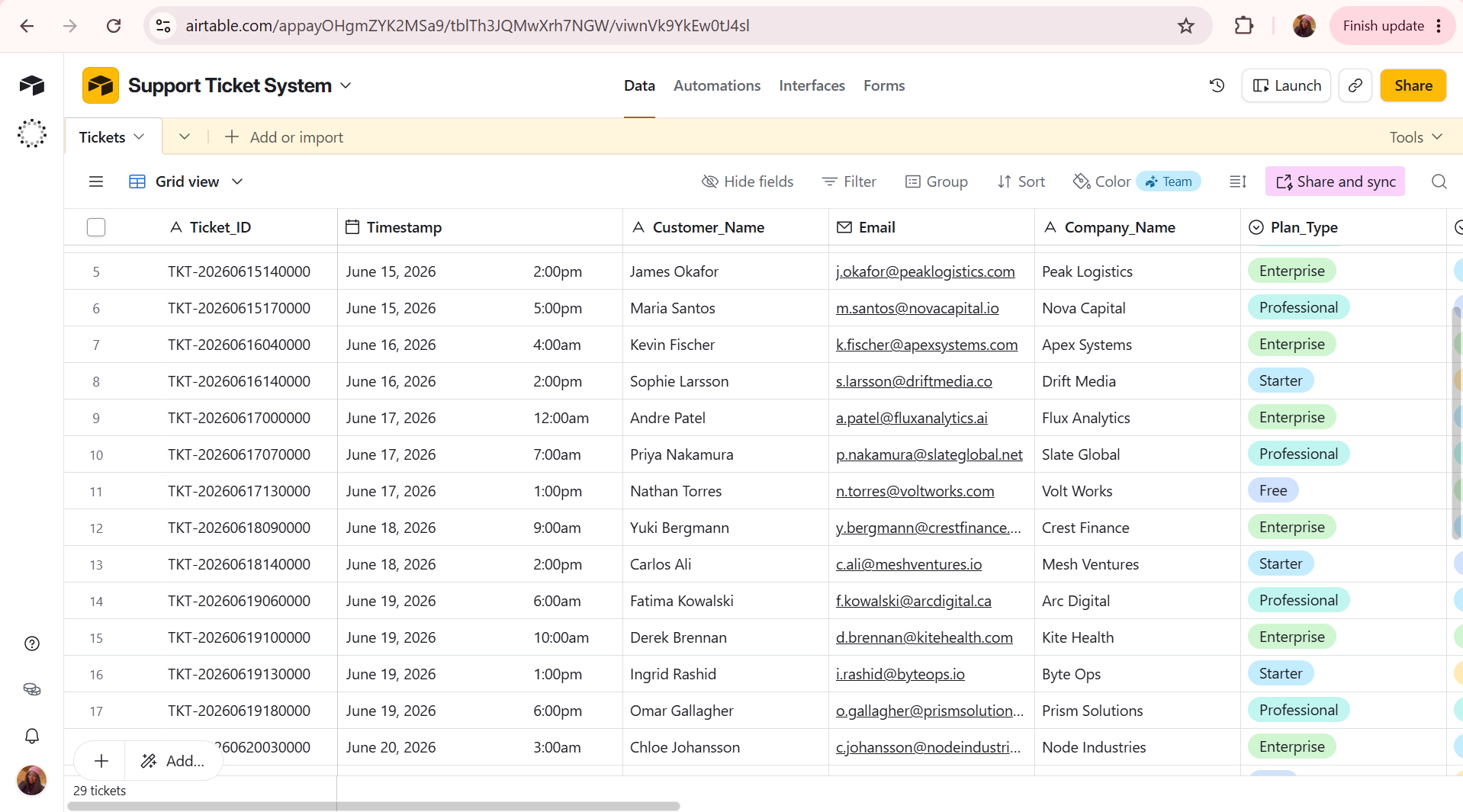
Airtable Tracking Database
Every ticket is logged automatically with a generated Ticket_ID, timestamp, SLA deadline, assigned agent, and resolution tracking — creating an audit trail that didn't exist in the shared inbox model.